How to Download and Upload a Theme into WordPress?
If you’re here, means that you are having problems into downloading and uploading the themes from our website to WordPress.
In this guide, I’ll tell you how you can download any premium theme from our website and upload it into WordPress.
So, without wasting any more time..let’s get started!
Step 1: Download the Theme
So, before we go and upload the theme into wordpress, we have to firstly download a theme from 11decbackupapp.blizmatt.com..
For this guide, I’m taking Newspaper Theme as an example.. Please note that the process for almost all of the themes will be the same.
Click on Download for Free button and then download your desired theme…
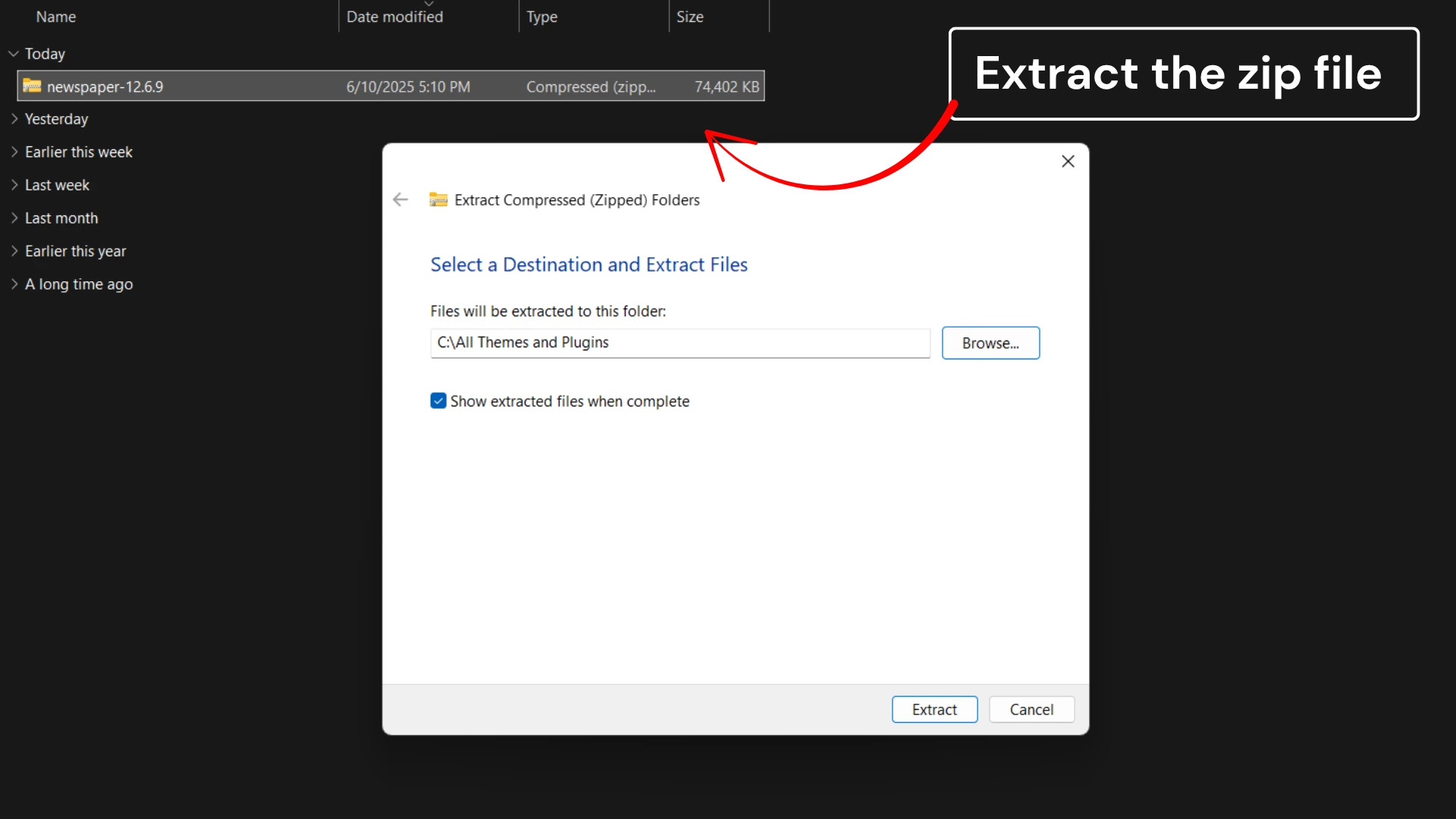
Step 2: Extract the zip file
After downloading the theme, you will get a zip file. Example :- Newspaper.zip
Extract the downloaded zip file into your computer…
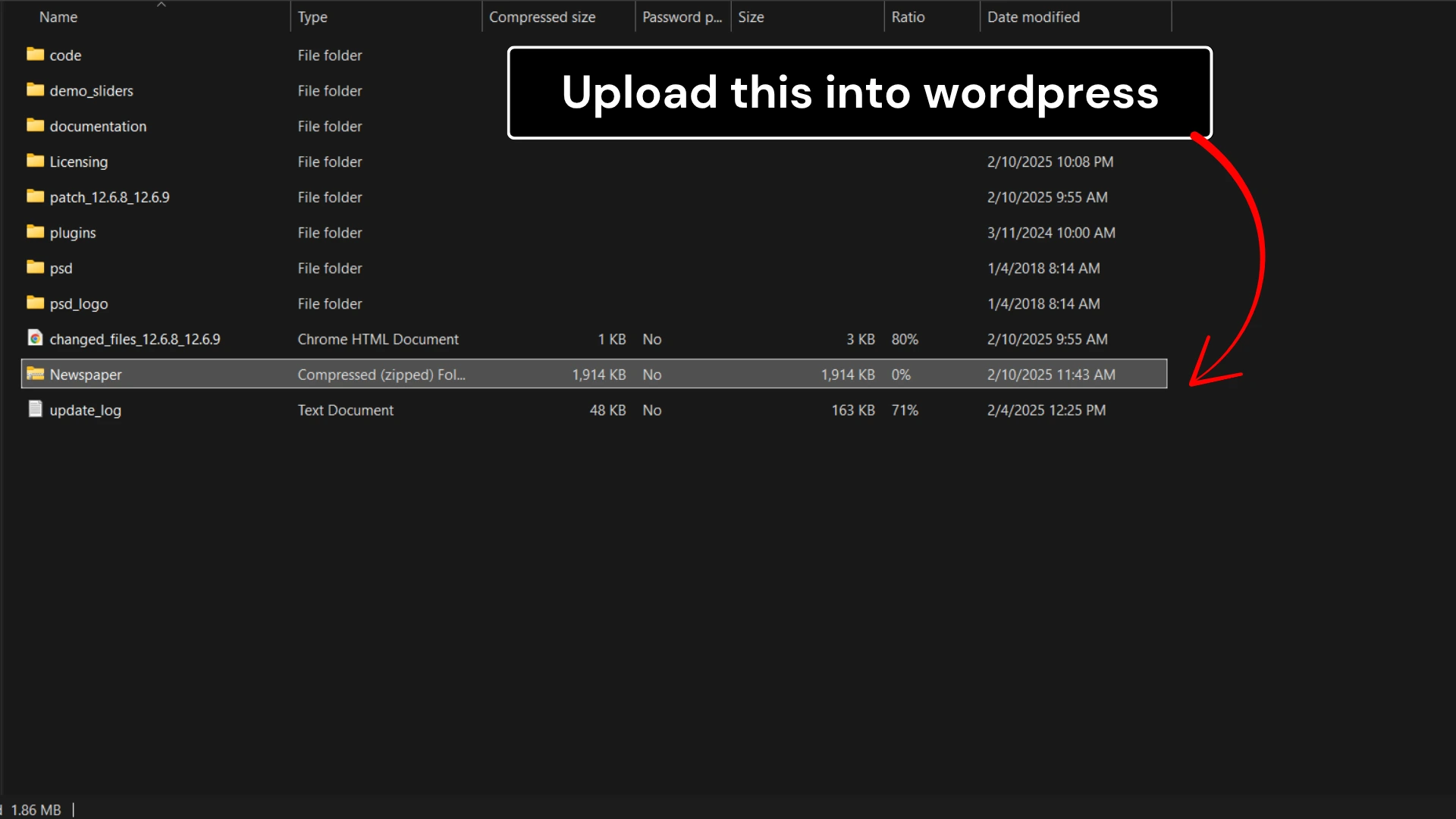
Step 3 :- Find the main zip folder of the theme and upload it into wordpress
After extracting the zip file you will find a folder. In my case its Newspaper but in your case it could be different if you are installing a different theme.
Note that you only have to upload this zip file into the WordPress..
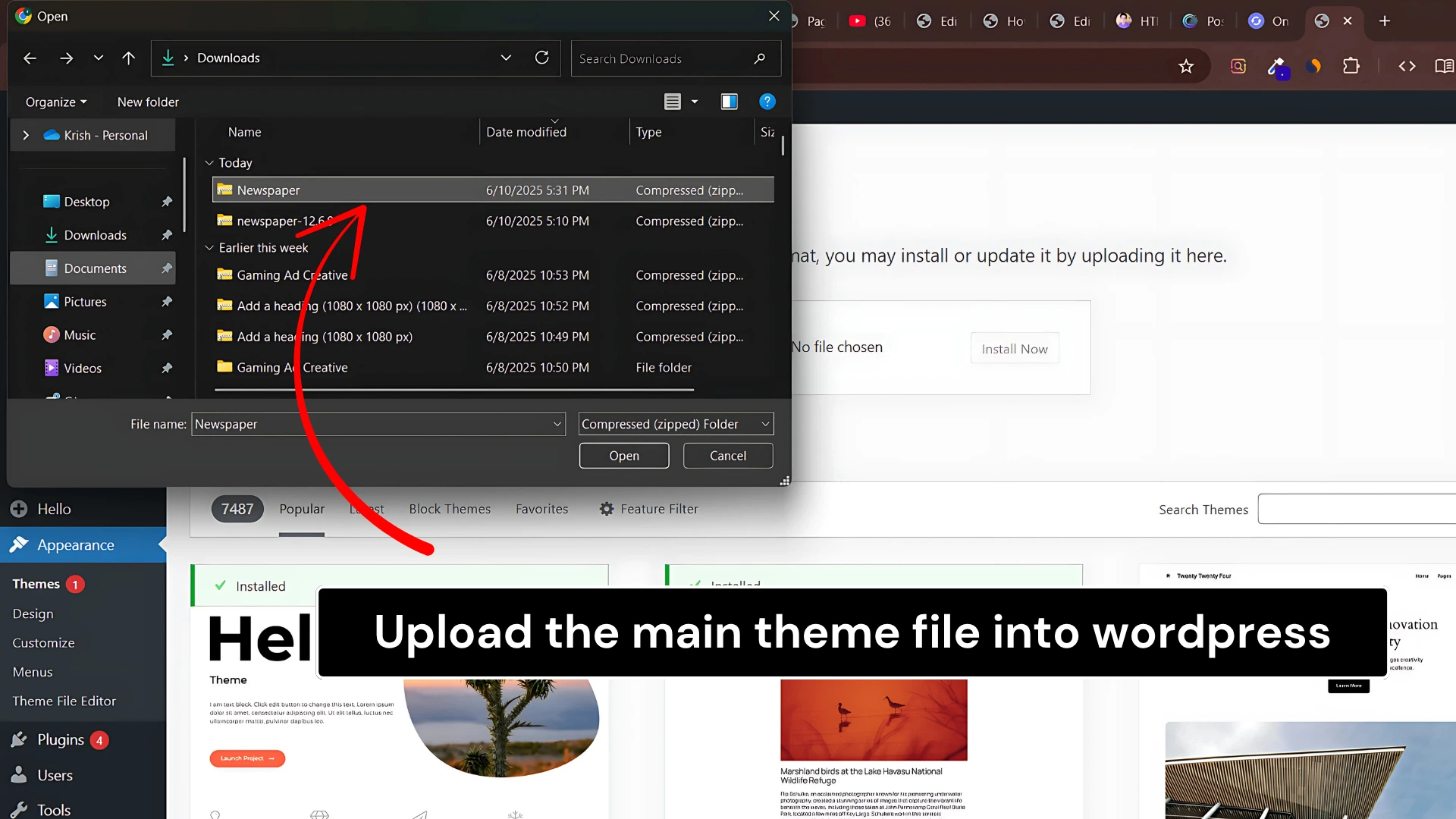
Upload this zip file into the WordPress..In my case its Newspaper
Select and upload the zip folder into the WordPress WordPress > Appearance > Themes > Install Theme > Upload Theme
If you’ve followed all these steps correctly then you are now ready to go with your premium theme.
Things to remember in a short way :- Step 1 :- Install the Theme from 11decbackupapp.blizmatt.com Step 2 :- Extract the zip folder of the theme into your computer Step 3 :- Find a theme.zip folder into the extracted folder Step 4 :- Upload that file into wordpress